

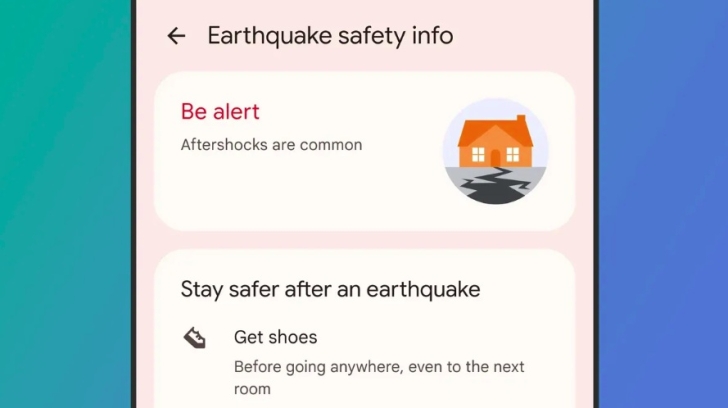
More than 11 million people received life-saving warnings before devastating earthquakes struck Venezuela last month, thanks to a built-in feature on Android phones that turns billions of devices into a global seismic detection network.
Google’s Android Earthquake Alerts System, which is available in 98 countries, detected the two powerful quakes—measuring 7.2 and 7.5 magnitude—and sent warnings to 11.4 million people, with some receiving alerts up to two minutes before the shaking began. Within just six seconds of the first quake starting underground, the system had identified the seismic event and begun pushing out alerts.
The feature, which has been enabled by default on Android phones since 2021, uses the accelerometer sensors already built into smartphones to detect the fast-moving but milder primary waves (P-waves) that arrive before the more destructive secondary waves (S-waves). When multiple phones in the same area detect vibrations simultaneously while stationary, the data is anonymised and sent to Google’s servers, which then confirm the earthquake, estimate its location and magnitude, and push alerts to all Android users in the affected region.
For users in California, Washington, and Oregon, the warnings rely on actual seismic monitoring data from a network of 1,675 sensors that make up the ShakeAlert system, run by the US Geological Survey.
How to enable earthquake alerts on your Android device
The Android Earthquake Alerts System is enabled by default on modern Android phones, but you can check or manually activate it by following these simple steps:
- Open the Settings app on your Android phone.
- Tap “Safety and emergency” (on some devices, this may be under Location > Advanced).
- Select “Earthquake alerts”.
- Toggle the switch to “On”.
Ensure your Location services are enabled and your device has an active internet connection, as the system requires these to function effectively.
How the alerts work
You will receive one of two types of warnings depending on the estimated shaking intensity in your area :
Be Aware alerts: These are pop-up notifications for light shaking, providing general information without a loud alarm.
Take Action alerts: These are serious warnings for moderate to heavy shaking. They will break through any Do Not Disturb settings, take over the full screen, and play a loud sound, urging you to “drop, cover and hold on” .
Important details to remember
Earthquake magnitude threshold: Google only sends alerts for earthquakes of magnitude 4.5 or above, which are considered powerful enough to cause some damage.
Phone must be stationary: Your phone will only qualify as an earthquake detector if it is lying still on a table, on a floor, or in a bag. Measurements from phones being carried or moved are not counted.
What about iPhones?
This particular feature, which uses phone sensors to detect earthquakes, is not currently available on iPhones. iOS devices can still receive government-issued emergency alerts (which may include earthquake warnings), but they do not contribute to or receive warnings from Google’s community-powered detection network.
Source: www.techradar.com